Type a command, click or type points, and use object snaps, polar tracking and grips. The command set covers lines, polylines, arcs, offsets, trims, fillets and arrays.
Computer-aided design and drafting · fan-made reference
Draw floor plans in a free, open-source CAD app.
CADCraft is an open-source computer-aided design and drafting app written in pure Rust, currently in early development, and it is not AutoCAD. It runs on macOS, Windows, Linux and FreeBSD, has a browser build, and opens DXF and DWG drawings. Read the known limits below before you use it on a real job.
Three screenshots
Read the drawings in order.
01 plan
02 layout
03 part
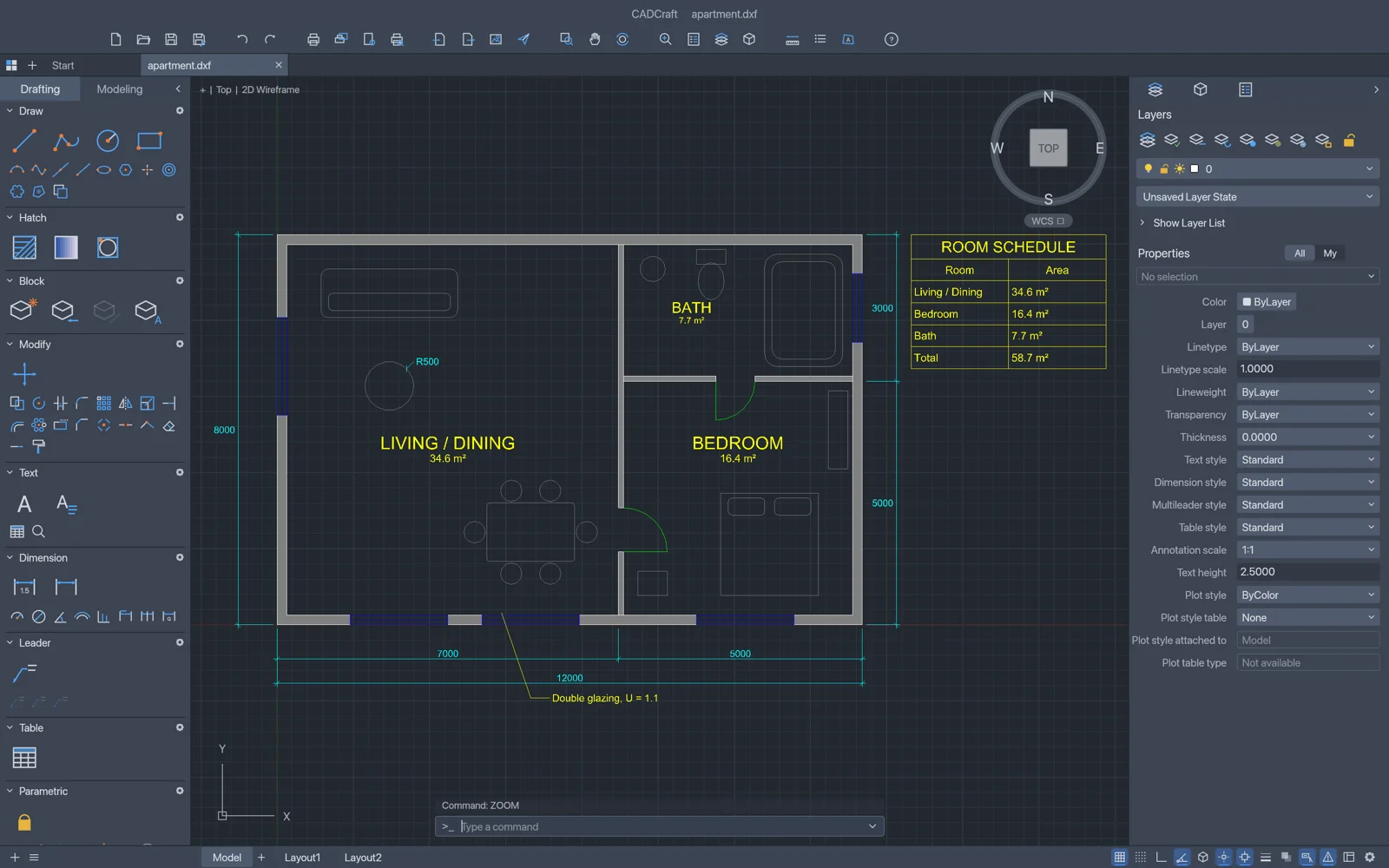
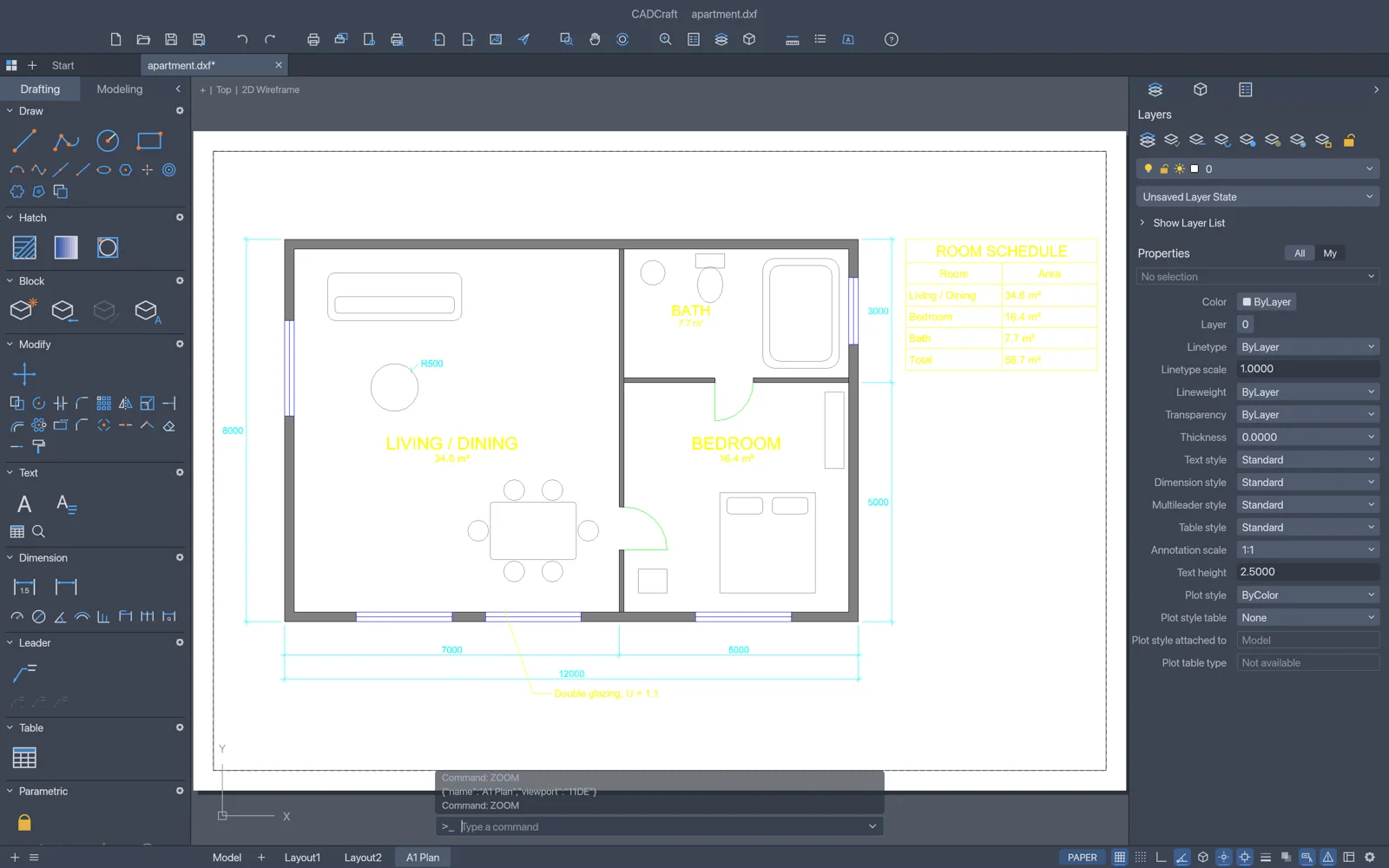
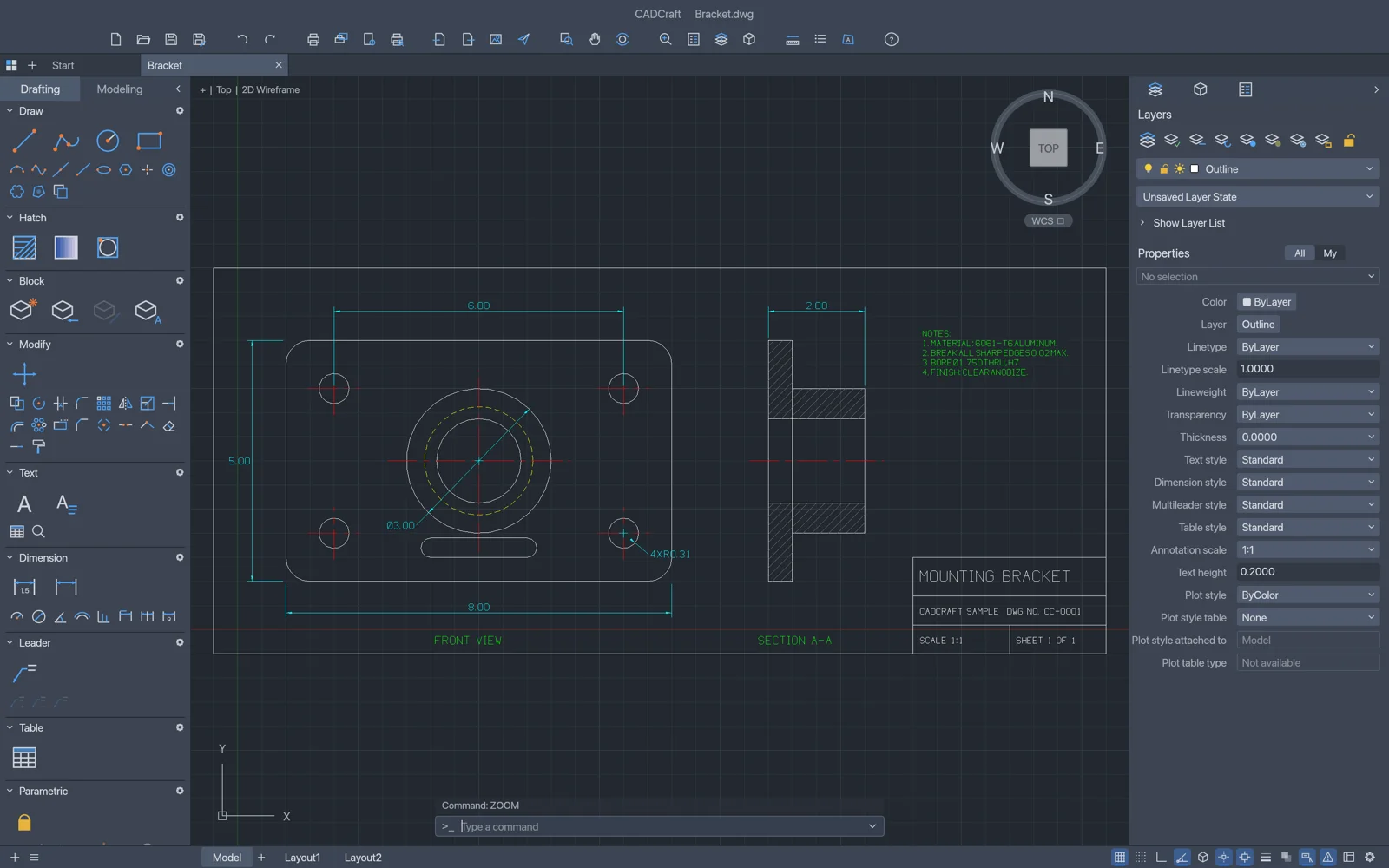
These images come from the official CADCraft page. They show a floor plan with a room schedule, the same plan in a paper-space layout, and a mechanical bracket with a title block. They show the interface the project chose to publish. They are not test results.
DXF and DWG files open in CADCraft. Saving to DWG can drop content it does not model yet, so keep the original file before you save.
The project is in early development, and its roadmap labels it pre-alpha. Use copies of your files for real work.
Choose a build
release v0.5.0Version 0.5.0 is the current release on the official page. Pick the file for your system. The ArtCraft Launcher (v0.3.2 on the official page) installs CADCraft and keeps it up to date. The links below install CADCraft on its own.
macOS
Universal disk image for Apple silicon and Intel
Windows
64-bit installer (.msi); portable and 32-bit or ARM64 builds are listed too
Linux
x86_64 AppImage; Flatpak, deb, rpm and tarballs are listed too
Other builds
FreeBSD, the web build, ARM64 files and SHA256SUMS.txt
Links go to the v0.5.0 assets on GitHub. Read the release notes and check the SHA-256 value before you install.
Build from source: the official page says Rust 1.90 or newer. The repository README says desktop and web UI builds need Rust 1.95 or later, so use 1.95 for the desktop app. Clone https://github.com/storytold/cadcraft and run cargo run --release -p cadcraft -- --sample.
What to verify before you install
practical checklist1. Match the file to your system. macOS has one universal build. Windows and Linux have separate builds for each CPU type.
2. Compare the checksum with SHA256SUMS.txt from the same release. The values for the three main files are below.
3. Check the DXF version you need. The official page says DXF reads and writes R12 to 2018. The README lists DXF writing as R2000, and the file-format notes say 2000 to 2018. Test the version your collaborator uses.
4. Keep the original. Copy each DWG before you open it in CADCraft and save. Saving to DWG drops entities CADCraft does not model yet.
| File (v0.5.0) | SHA-256 |
|---|---|
| cadcraft-0.5.0-macos-universal.dmg | f7c9a84707eae58405d8930764abfddacb89531571d63a4a49d9b9b735f6f8a7 |
| cadcraft-0.5.0-windows-x64.msi | 3533bca1af65191a7c9c9408e7e4f9049293a58d7f1586c8bf0a44697a88716c |
| cadcraft-0.5.0-linux-x86_64.AppImage | d29756693af2b1c44115dfda67b73d051f9d65e9e36852926744b5f312ae85c6 |
Values copied from SHA256SUMS.txt in the v0.5.0 release. On 2026-10-16 we downloaded these three files from the release links and their SHA-256 values matched. We have not installed them. The README says the macOS app and CLI are signed and notarized, and Windows installers and executables are code-signed. We did not check those signatures. On Windows, if the app closes before its window appears, the README describes the WGPU_BACKEND environment variable (for example dx12 or vulkan) for troubleshooting.
Known limits
from the repository- Stage. Early development. The roadmap labels the project pre-alpha and estimates about 38% readiness for real work. That is the project's own estimate, dated 2026-10-10.
- DWG saving. Saving drops content CADCraft does not model. The repository has no real-file test corpus yet and records no check in AutoCAD.
- No 3D modelling. The gaps list records UCS, 3D views, solids, surfaces, meshes, sections and rendering as missing.
- Fonts. SHX fonts are not read. Text in those styles uses CADCraft's stroke font, or the font you name in the FONTALT setting.
- Dynamic blocks. Authoring parameters and actions in the Block Editor is not built yet.
- Dimension styles. There is no DIMSTYLE manager dialog yet.
- Plotting. No system printers. Binary .ctb, .stb and .pc3 plot files are not read.
- macOS. Opening a .dxf file from Finder fails, according to the gaps list (issue #158).
- Web build. No DWG support and no autosave, according to the gaps list.
CADCraft for 2D drafting: what the search means
search contextIf you searched for CADCraft, you probably want one of three things: a free CAD program that opens DXF or DWG drawings, a command-line drafting tool you can script, or a free app to test next to a paid 2D package. The project covers the first two in part. Its own documents list open gaps in DWG saving, real-file testing and 3D modelling, so treat it as a second tool for now and read the gaps list before you decide.
About CADCraft
Primary source ↗CADCraft is a computer-aided design and drafting app from the ArtCraft team, one of the Crafting Apps alongside PhotoCraft, VectorCraft and others. The official page describes it as fast, open-source computer-aided design and drafting in pure Rust. The repository at storytold/cadcraft is dual-licensed under MIT or Apache-2.0 and describes CADCraft as an independent, clean-room, AutoCAD-style app. Its command line, object snaps, layers, dimensions, hatches, blocks and DXF drawings follow workflows AutoCAD users know. The README lists 13 interface languages, English among them.
CAD in this guide means computer-aided design: software for precise 2D and 3D drawings. CADCraft is one such app, and it does not model 3D yet. CAD is also the ISO currency code for the Canadian dollar, which this guide does not mean.
How this guide was made
editorial methodPrimary sources
We checked the official CADCraft page and the public repository, including its README, roadmap, gaps list and file-format notes. Those pages are the authority for version, licence, formats and status. On 2026-10-16 we confirmed the v0.5.0 release links return files and that three checksums match SHA256SUMS.txt.
Who maintains it
CADCraft Fan Guide is an independent fan project. It is not staffed by ArtCraft, storytold or Autodesk. Every number on this page is traced to a source named here. Numbers without a source were removed.
What we did not do
We have not installed the software, opened a customer drawing or run CADCraft on a real job. We ran no benchmarks and did not count users or downloads. The screenshots are the ones the official page publishes.
Choose by task
three pathsPick the path that matches your first job. Each one lists only what the project's documentation supports today. None of them is a benchmark.
Floor plan sketch
Start from the sample. From a source checkout, run cargo run --release -p cadcraft -- --sample. Draw a closed shape with LINE by typing line 0,0 @10,0 @0,5 c, then use object snaps for corners and pick-point hatching for wall fills.
The repository's examples folder includes apartment.dxf, which the README says was built entirely from CADCraft commands. Use it as a reference for layers and a room schedule.
Dimensions and layers
Set up the layers first in the Layer Properties Manager. The README lists on/off, freeze, lock, plot, colour and linetype controls. Linear, aligned, angular and radial dimensions follow the geometry they measure.
There is no DIMSTYLE manager dialog yet. Set dimension variables on the command line or with SETVAR.
Scripts and command-line automation
Use cadcraft-cli run with a command or a script, cadcraft-cli convert to change formats, or cadcraft-cli mcp so an agent can type commands and read the drawing. The README lists the MCP tools as command_line, execute, inspect_drawing, query_entities and render.
AutoLISP files (.lsp) load. Visual LISP ActiveX (vlax-), DCL dialogs and reactors are not supported.
Editorial boundary
what this site does not do
Editorial boundary: this site does not host downloads. The download buttons point to the GitHub release. It does not claim endorsement by ArtCraft, storytold or Autodesk, and it does not list awards, press coverage, user counts or testimonials. This guide makes no code-compliance claim. Before any drawing is delivered, have a qualified professional review it against the project requirements and local codes.
Questions readers ask
What is CADCraft?
CADCraft is an open-source computer-aided design and drafting app written in pure Rust, currently in early development, and it is not AutoCAD. The ArtCraft team publishes it under MIT or Apache-2.0, and the official page lists it as free.
Is this site official?
No. This is an independent fan-made reference. It is not run by ArtCraft or storytold, it is not the official CADCraft site, and it is not an independent confirmation of the official pages or the repository.
Can CADCraft open DWG files?
The official page says it opens DWG files from R13 to 2018, and the repository says DWG reading goes through the acadrust library. This guide did not open any DWG file with CADCraft. Saving to DWG drops entities CADCraft does not model yet, so keep an untouched copy of the original.
Does CADCraft do 3D modelling?
Not yet. The repository's gaps list records 3D work (UCS, 3D views, solids, surfaces, meshes and rendering) as missing.
Is CADCraft ready for real drawings?
The project's own roadmap labels it pre-alpha and estimates about 38% readiness for real work. That is a self-assessment dated 2026-10-10. Test it on copies, and check the output in the software your collaborators use.